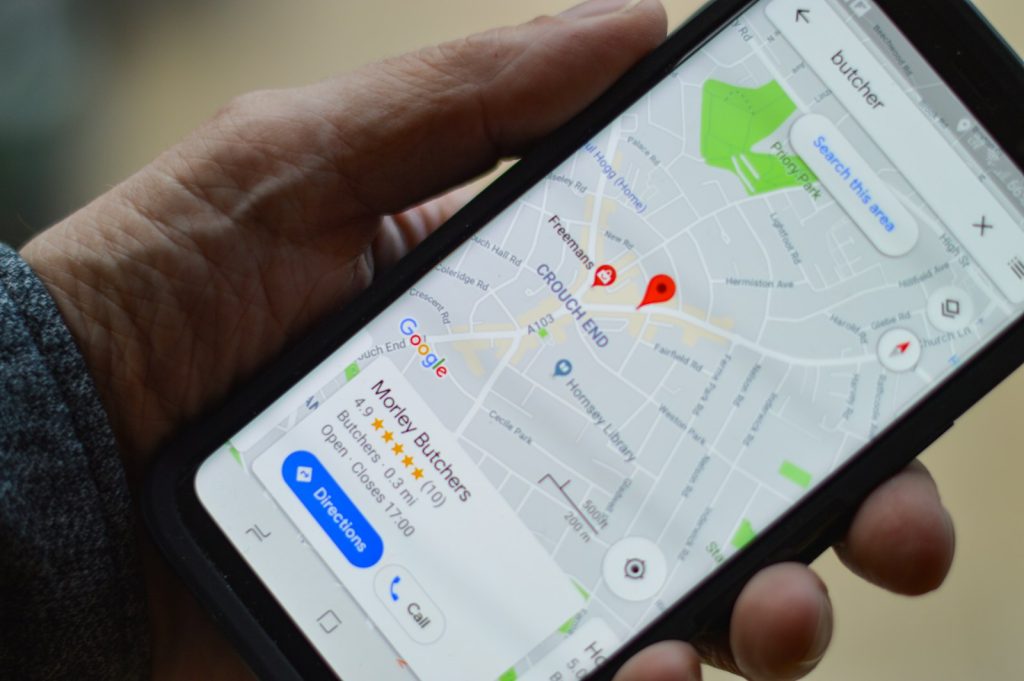



Your Google Business Profile (GBP) is often the first thing a potential customer sees when they search for your business or a business like yours in the Mornington Peninsula. It appears in the Google Map Pack, on Google Maps, and in the knowledge panel that shows to the right of search results when someone searches your exact business name. It displays your phone number, hours, address, photos, reviews, and a link to your website — and it can generate significant enquiry volume independently of your website ranking.
Despite this, most Peninsula business profiles are either incomplete, out of date, or actively underperforming. A complete, well-maintained Google Business Profile is one of the highest-leverage free actions a local business can take. Here’s exactly how to optimise yours.
Step 1: Complete Every Available Field
Business name: Use your actual trading name — not keyword-stuffed (adding “Mornington Plumber” to your business name when your registered name is “Smith Plumbing” violates GBP guidelines and risks suspension).
Primary category: This is the single most important GBP setting for local pack rankings. Choose the most specific category that accurately describes your primary business activity. “Plumber” rather than “Contractor.” “Physiotherapist” rather than “Health Clinic.” Google suggests categories as you type — select from the suggestions rather than creating custom categories.
Secondary categories: Add all applicable secondary categories to capture the full range of relevant searches. A plumber who also does gas fitting and bathroom renovations should add those as secondary categories.
Service area: For businesses that serve customers at their location (rather than operating from a fixed premises), define your service area by suburb or postcode. Include all suburbs you genuinely service on the Peninsula — Frankston, Langwarrin, Mornington, Mount Martha, Mount Eliza, Rosebud, Dromana, Rye, Hastings, Sorrento, and wherever else you work.
Business description: 750 characters to describe your business in natural language. Include your primary service, your location, what makes you different, and a call to action. Don’t keyword-stuff — write it for the human reader who will see it on your profile.
Step 2: Photos That Work
Profiles with photos receive significantly more clicks than those without. Upload a minimum of ten photos across the following categories: your business exterior (so customers can identify it), interior (for retail and hospitality), your team at work, completed project photos, product photos where applicable, and a high-quality logo.
Update photos regularly — Google rewards profiles with recently added content. Adding two to three new photos monthly is sufficient to signal an active, maintained profile. For trades businesses, before-and-after project photos are particularly effective at demonstrating capability and generating engagement.
Step 3: Review Collection Strategy
Review volume and rating are among the most significant map pack ranking factors. The goal is a systematic process that produces consistent new reviews after every client interaction.
The most effective approach: create a short URL using Google’s “Get more reviews” link generator (available in your GBP dashboard) and send it directly to clients via SMS or email after each completed job or appointment. A simple message — “Thanks for choosing us — would you mind leaving us a quick Google review? It really helps [link]” — converts at a much higher rate than a general request without a direct link.
Click Websites has accumulated 100+ five-star Google reviews with zero negative reviews through this exact consistent approach — not through any automated or artificial means, but through a systematic request process applied to every satisfied client interaction over years of operation. The result is one of the most reviewed web design businesses on the Peninsula, and a map pack presence that reflects that review authority.
Step 4: Regular Posts
GBP posts — updates, offers, events, new products — appear on your profile and signal an active business to Google. Monthly posting is the minimum effective cadence. Posts expire after seven days for offers; updates last longer. Content ideas: a completed project highlight, a seasonal service promotion, a new team member announcement, a local event participation, a client testimonial feature.
A complete, well-optimised Google Business Profile works alongside a well-built website to produce the local search dominance that Click Websites helps Peninsula businesses achieve. Get in touch to discuss your local search presence, or browse our articles section for more local SEO guidance.
Frequently Asked Questions
How do I claim my Google Business Profile if someone else has already created one?
Search for your business name on Google Maps and click “Claim this business” if a profile exists. You’ll need to verify ownership through one of Google’s verification methods — typically a phone call, an SMS code, or a postcard mailed to your business address with a verification code. If someone else has already claimed the profile, you can request access through Google’s “request ownership” process, which asks the current owner to transfer management to you.
What should I do if I receive a fake negative review?
Flag the review for removal through the GBP dashboard using the “Report a review” option, selecting the reason that most closely matches the violation (fake review, off-topic, conflict of interest). Google reviews this report and removes reviews that violate its policies. While awaiting resolution, respond professionally and briefly — acknowledging you have no record of this client and inviting them to contact you directly to resolve any concern. Do not engage combatively, as your response is visible to all potential clients reading the review.
Can I respond to positive Google reviews, or just negative ones?
You should respond to both — positive reviews especially. A brief, genuine thank-you response to every positive review signals to both Google and future clients that you’re engaged and care about your client relationships. Personalise responses where possible (“thanks for mentioning the deck renovation in Mornington”) rather than using identical templated responses across all reviews. Review responses also give you an opportunity to mention your services and location naturally, adding keyword context to your profile.
Does adding products and services to my GBP help with rankings?
Yes — the Services section in particular (for service businesses) provides additional category and service-type signals that reinforce your profile’s relevance for specific searches. Adding individual services with descriptions — rather than just a primary category — expands the range of search terms your profile is considered relevant for. This is particularly valuable for businesses with multiple distinct service categories that different clients might search for individually.
Should I enable the messaging feature on my Google Business Profile?
Enable it if you can commit to responding within 24 hours — Google displays your typical response time on your profile, and a slow response time undermines the trust the feature is meant to build. If you can monitor messages consistently (the GBP app on your phone makes this manageable), the messaging feature provides an additional low-friction contact pathway for potential clients who prefer messaging to calling. Disable it if monitoring isn’t practical — an unanswered message creates a worse impression than no message option at all.
How often should I update my Google Business Profile?
At minimum, review it quarterly to ensure hours, contact details, and service offerings are current. Add new photos monthly. Publish GBP posts monthly or more frequently for seasonal promotions or time-sensitive content. Respond to all new reviews within 48 hours. The Q&A section should be monitored for new questions and answered promptly — unanswered Q&A questions that appear publicly on your profile create the impression of an unmonitored business.