

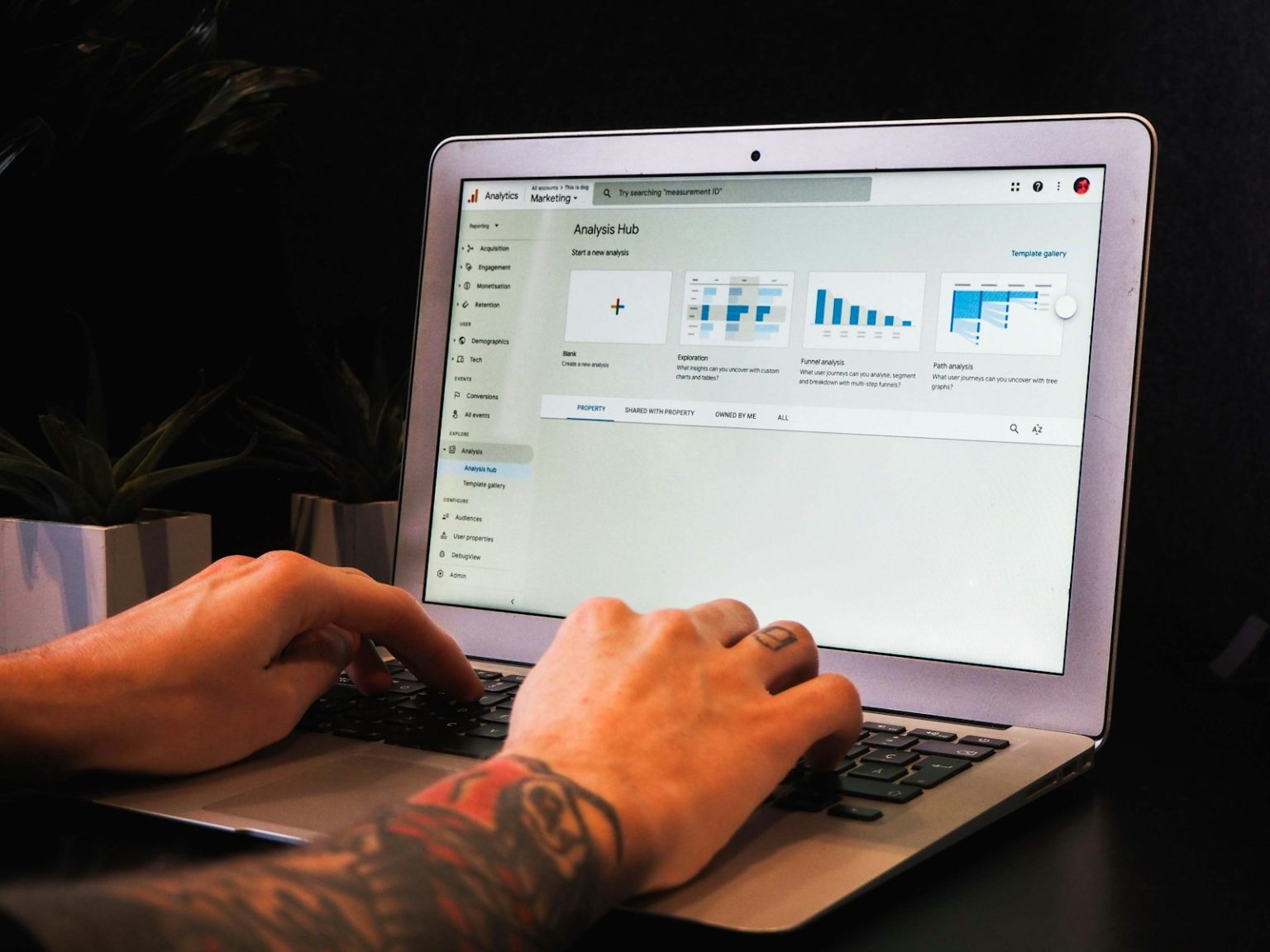
Google Analytics 4 (GA4) replaced Universal Analytics in July 2023 — and for many local business owners who had a basic familiarity with the old platform, the new one feels unfamiliar and more complex. It is more complex in some respects. But it’s also significantly more powerful for understanding the specific user journeys and conversion actions that matter to a local service business on the Mornington Peninsula.
The good news: most local businesses don’t need to understand every feature of GA4. They need to understand a handful of specific reports that tell them whether their website is doing its job — attracting the right visitors and converting them into enquiries. This post covers exactly those reports and what to do with the information they provide.
The Metrics That Matter for a Local Service Business
Users and sessions. Users is the count of distinct people who visited your website in the reporting period. Sessions is the count of visits — one user can have multiple sessions. For a local business trying to understand whether marketing activity is driving more people to the website, the Users metric over time is the most useful single number to track.
Traffic sources. Where are your visitors coming from? The Acquisition report in GA4 shows traffic broken down by channel: Organic Search (Google and Bing search results), Direct (typed your URL directly or bookmarked), Referral (clicked a link from another website), Paid Search (Google Ads), and Social (social media platforms). For a local business investing in SEO, the organic search number trending upward over time is the primary success indicator for that investment.
Engagement rate. GA4 replaced the “bounce rate” metric with “engagement rate” — the percentage of sessions where the user was actively engaged (scrolled, clicked, spent more than 10 seconds on the page). A high engagement rate suggests visitors are finding what they’re looking for. A low engagement rate suggests a mismatch between what the search result promised and what the page delivered.
Conversions. A conversion is a specific action you define as valuable — a contact form submission, a phone number click, a booking completion, a specific page visit (like a “thank you” page after a form). Setting up conversion tracking in GA4 is the most important configuration step for a local business, because without it you have traffic data but no commercial outcome data. You don’t know whether 500 monthly visitors are producing 50 enquiries or 5.
Landing pages. Which pages are visitors arriving on first? The Landing Page report shows which pages are doing the work of attracting visitors from search and other sources. If your homepage is your only significant landing page, you have a content architecture problem — well-structured websites attract traffic to multiple specific service pages, not just the homepage.
Every website built by Click Websites has GA4 installed and configured with appropriate conversion tracking from launch. Understanding what your website is producing commercially — not just how much traffic it receives — is the starting point for making informed decisions about where to invest further. Get in touch to discuss your website’s analytics setup.
Frequently Asked Questions
Is Google Analytics 4 free?
Yes — GA4 is completely free. Google also offers Google Analytics 360, a paid enterprise version with higher data limits and additional features, but it’s priced for large corporations and is not relevant for the vast majority of Peninsula small businesses. The free GA4 provides everything a local business needs to understand its website performance.
How do I install GA4 on a WordPress website?
The most straightforward method for a WordPress site is using the “Site Kit by Google” plugin, which connects your WordPress site directly to GA4 (as well as Search Console and PageSpeed Insights) through Google’s official integration. The Yoast SEO and MonsterInsights plugins also support GA4 integration. Alternatively, the GA4 measurement ID can be added directly to your site’s header code or through Google Tag Manager. Any of these approaches produces equivalent tracking results.
What’s the difference between a session and a user in GA4?
A user is a distinct person (or more precisely, a distinct device/browser combination) who visited your website. A session is a period of continuous engagement — one user might have three sessions over a week if they visit your site on Monday, Wednesday, and Friday. For most local business reporting purposes, tracking Users over time gives the clearest picture of audience growth, while Sessions is more useful for understanding total visit volume.
How do I set up conversion tracking in GA4?
In GA4, conversions are defined from “events” — things GA4 detects happening on your website. For a contact form submission, the most reliable approach is to redirect the user to a “thank you” page after submission, then mark a GA4 event triggered by that thank you page URL as a conversion. For phone number clicks, GA4’s enhanced measurement can track click events automatically; marking phone link clicks as conversions captures call intent. Google Tag Manager makes complex conversion tracking setups significantly more manageable.
How much traffic should my local business website be getting?
There’s no universal benchmark — it depends on your location, category, and competitive landscape. What matters more than absolute traffic is traffic trend (growing month over month is good) and conversion rate (what percentage of visitors become enquiries). A website with 200 monthly visitors and a 5% conversion rate is producing 10 enquiries per month. One with 1,000 monthly visitors and a 0.5% conversion rate is producing 5. More traffic at the expense of conversion quality is not progress.
Does GA4 track phone calls from my website?
GA4 can track clicks on phone number links (tap-to-call links) as events, which captures the intent to call but not actual calls placed or answered. For more sophisticated call tracking — recording which calls resulted in bookings, which keywords drove calls, call recording — dedicated call tracking software like CallRail or WildJar integrates with GA4 and Google Ads to provide complete call attribution. For most Peninsula small businesses, tracking phone link clicks as conversions in GA4 provides sufficient commercial visibility without the additional cost of dedicated call tracking.